About
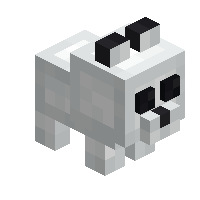
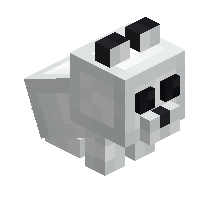
The wolf plushies are decorative plushies inspired by the various wolf mob variants!
Interaction
A wolf plushie can alternate between sitting and standing by using it. To place a block against the plushie instead, you must sneak.
Crafting Recipe



To craft a pale wolf plushie, place the items in a crafting table as follows:
- Top & bottom rows: Fill slots with white wool.
- Middle row: Place a bone between two black wool.

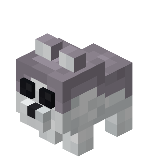
To craft an ashen wolf plushie, place the items in a crafting table as follows:
- Top row: Fill slots with light gray wool.
- Middle row: Place a bone between two black wool.
- Bottom row: Fill slots with white wool.

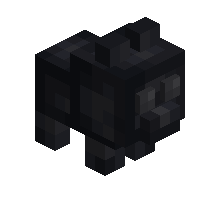
To craft a black wolf plushie, place the items in a crafting table as follows:
- Top & bottom rows: Fill slots with black wool.
- Middle row: Place a bone between two gray wool.

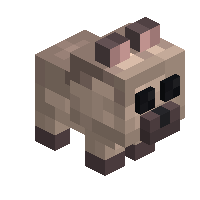
To craft a chestnut wolf plushie, place the items in a crafting table as follows:
- Top & bottom rows: Fill slots with brown wool.
- Middle row: Place a bone between two black wool.
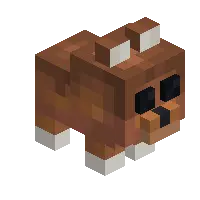
To craft a rusty wolf plushie, place the items in a crafting table as follows:
- Top row: Fill slots with brown wool.
- Middle row: Place a bone between two black wool.
- Top row: Fill slots with white wool.
Technical
Configuration
- In-Game Screen Name: Enable Wolf Plushies
- Config File Key:
enable_wolf_plushies - Default:
true/Yes
Determines whether wolf plushies can be obtained.
true/Yes: Wolf plushies are enabled.false/No: Wolf plushies are disabled and hidden.
Wolf Plushies
| Renewable | Yes (Crafting) |
| Stackable | Yes (64) |
| Tool | Any tool |
| Blast Resistance | 0.2 |
| Hardness | 0.2 |
| Luminous | No |
| Transparent | No |
| Catches fire from lava | Yes |
| Note block instrument | Default (Harp) |